When I first started learning to debug, I treated it like a treasure hunt for the perfect tool. I believed there was some extension, some IDE plugin, some automation framework that would look at my broken code and tell me exactly what was wrong. I installed dozens of Chrome extensions. I tried every JavaScript linter. I watched tutorials on "one-click debugging" and thought the pros had a secret weapon I hadn't found yet. I was wrong. There is no magic tool. There is only reading the code, understanding what it actually does, and tracing the gap between that and what you expected it to do.
The lesson hit me hardest when I was a junior pentester trying to level up. I was working through the BunaByte CTF and ran into a prototype pollution challenge that I wrote about in When My Client Side Validation Failed. I spent hours throwing payloads at the application, hoping something would break. Nothing worked because I wasn't debugging — I was guessing. Only when I sat down, opened DevTools, and actually walked through the object chain did I see how the merge function was polluting Object.prototype. That moment changed how I approach every browser flaw I encounter now.
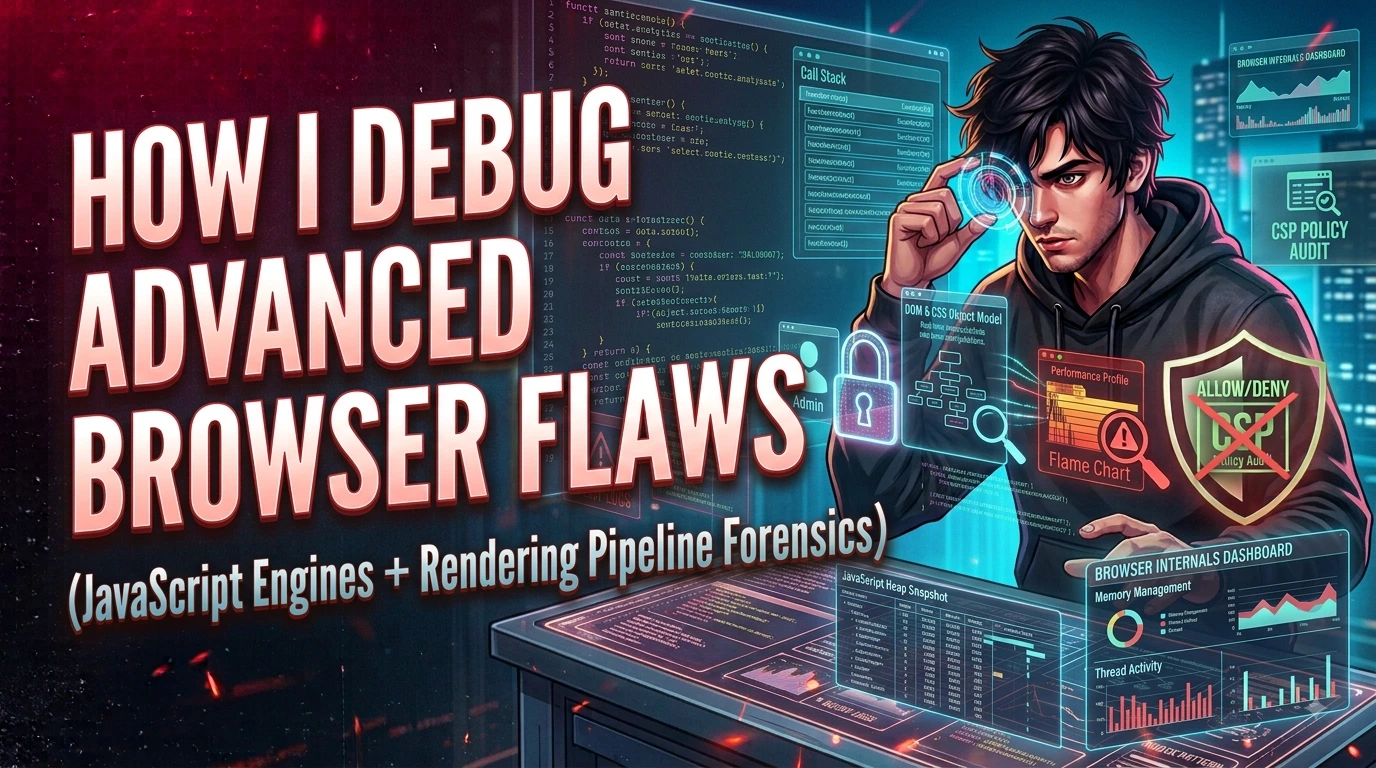
This isn't a DevTools tutorial. I'm breaking down how I actually debug advanced browser flaws — what debugging means when the bug lives in JavaScript runtime behavior, what kinds of flaws show up in the browser, how I trace them without relying on automated scanners, and the mental model I use to separate symptoms from root causes.
The Myth of the Magic Debugger
Debugging isn't broken code plus a tool equals fixed code. Debugging is the process of building a mental map of what the program is doing, comparing it to what it should be doing, and finding the exact line where those two stories diverge. Tools help, but they don't replace that mental work. A breakpoint tells you where execution paused. It doesn't tell you why pausing there matters. A console error tells you something threw. It doesn't tell you whether the throw was the bug or just a symptom.
When I was hunting for my magic solution, I was really hunting for a way to skip the hard part. I wanted the computer to read the code for me. But browser flaws — especially the advanced ones — don't show up in stack traces neatly. They live in prototype chains, in event listener order, in DOM clobbering, in race conditions between async scripts. You can't grep your way to understanding those. You have to observe the runtime state and reason backward.
What Advanced Browser Flaws Actually Are
When I say "browser flaws," I don't mean a missing semicolon or a broken CSS rule. I mean security-relevant bugs that exploit how the browser executes JavaScript, parses HTML, or manages the DOM. These are the categories I run into most often.
Prototype pollution happens when user input is merged into an object without sanitizing property keys like __proto__ or constructor. The attacker doesn't target their own object — they target the shared prototype that every object inherits from. Once polluted, every object in the runtime gains the attacker's payload. It's invisible in normal logs because nothing throws an error. The application just behaves differently.
DOM clobbering is when an attacker uses HTML elements with specific id or name attributes to overwrite JavaScript variables in the global scope. Browsers automatically create global references for named elements, and if the application assumes a variable is safe because it was declared in a script tag, an injected element can hijack that assumption.
Client-side logic bypasses cover everything from flawed input validation that only exists in the frontend, to JWTs parsed by the browser without signature verification, to routing guards that check roles in React but not in the API. The browser is a hostile environment. Any code sent to it can be inspected, paused, and rewritten by the user.
// Vulnerable merge: doesn't block prototype keys
function merge(target, source) {
    for (let key in source) {
        if (typeof source[key] === 'object') {
            merge(target[key], source[key]);
        } else {
            target[key] = source[key];
        }
    }
}

// Attacker sends:
// { "__proto__": { "isAdmin": true } }

// After merge, every object inherits isAdmin: true
// No error is thrown. The runtime is silently poisoned.
How I Debug Them
My process is simple and repetitive. I read the code first. Then I set breakpoints. Then I watch. Then I read the code again.
When I'm looking at a prototype pollution bug, I open Chrome DevTools and place a breakpoint on every object assignment in the merge or extend function. I don't run the payload yet. I step through the function with clean input first, so I understand the normal flow. Then I run the malicious payload and watch where the path diverges. Usually, the divergence is subtle — a property gets assigned to target.__proto__ instead of target, and because __proto__ is the object's prototype link, the assignment leaks into every object.
For DOM clobbering, I use the Elements panel to inspect the DOM tree and the Console to check whether global variables have been shadowed by HTML elements. I run window.yourVariableName before and after injecting the malicious markup. If the type changes from what the script declared to an HTMLInputElement, I've confirmed clobbering. Then I trace backward to find which script relied on that variable and what it does with it.
For async race conditions or CSP bypasses, I use the Network panel to intercept requests and the Sources panel to pause execution at specific lines. I also use debugger; statements directly in the console when I need to freeze execution at a dynamic point. The key is never trusting what the code looks like. You have to see what the browser actually executes.
Use the Scope panel, not just the Console. When you're paused at a breakpoint, the Scope panel shows you the actual values of local variables, closure variables, and the global object at that exact moment. The Console can lie if you've run commands that mutated state. The Scope panel is a snapshot.
What Fixing Looks Like
Debugging without fixing is just sightseeing. Once I understand the flaw, I trace it to the exact line that needs to change. For prototype pollution, the fix is usually rejecting keys that match __proto__, constructor, or prototype during any object merge or deep-extend operation. For DOM clobbering, the fix is declaring variables with const or let inside a closure so they can't be overwritten by global element references, or explicitly checking types before using variables that might be clobbered. For client-side logic bypasses, the fix is moving every security decision to the server, because the browser cannot be trusted.
I always verify the fix by running the same payload that triggered the bug and confirming the behavior no longer occurs. Then I run regression tests to make sure I didn't break normal functionality. A fix that stops the attack but breaks the app is just a different kind of bug.
const FORBIDDEN_KEYS = ['__proto__', 'constructor', 'prototype'];

function safeMerge(target, source) {
    for (let key in source) {
        if (FORBIDDEN_KEYS.includes(key)) continue;
        if (typeof source[key] === 'object' && source[key] !== null) {
            if (!target[key]) target[key] = {};
            safeMerge(target[key], source[key]);
        } else {
            target[key] = source[key];
        }
    }
    return target;
}
Production Checklist
These are the rules I follow every time I sit down to debug a browser flaw:
- Never trust automated scanners to explain the root cause — they find symptoms, you have to trace the disease
- Always step through the code with clean input before testing malicious input; you can't spot divergence without knowing the normal path
- Sanitize every object merge against prototype pollution keys, and never rely on client-side validation as your only security boundary
- Verify fixes by reproducing the exact attack path, then regression-test normal behavior to confirm nothing broke
I never found the magic debugging tool I was looking for. What I found was better — the patience to read code slowly, the discipline to trace execution line by line, and the humility to admit that the bug was usually simpler than I thought, but hidden behind my own assumptions. The BunaByte CTF didn't just teach me about prototype pollution. It taught me that debugging is a mindset, not a plugin.
Prototype Pollution: The Invisible Attack
JavaScript's prototype chain is a feature that allows objects to inherit properties from other objects. Every plain object in JavaScript has Object.prototype in its chain, which means properties you set on Object.prototype are inherited by every object in the program. Prototype pollution is a vulnerability where an attacker can set arbitrary properties on Object.prototype — affecting every object in the runtime — by exploiting code that merges or clones objects without filtering for dangerous keys.
The dangerous keys are __proto__, constructor, and prototype. A payload like {"__proto__": {"isAdmin": true}} submitted to a vulnerable merge function will set isAdmin to true on Object.prototype. Now any code that checks if (user.isAdmin) on an object that does not explicitly have that property will inherit the polluted value and evaluate to true.
// Vulnerable: deep merge without key sanitization
function merge(target, source) {
  for (let key in source) {
    if (typeof source[key] === 'object') {
      merge(target[key], source[key]);
    } else {
      target[key] = source[key]; // __proto__ key goes here
    }
  }
}

// Attacker payload from JSON body
merge({}, JSON.parse('{"__proto__": {"isAdmin": true}}'));

// Now every object inherits isAdmin = true
console.log({}.isAdmin); // true — prototype polluted
The fix is to filter out dangerous keys during any recursive merge: if (key === '__proto__' || key === 'constructor' || key === 'prototype') continue;. Libraries like lodash have had prototype pollution vulnerabilities in their deep merge functions — check that you are using current patched versions.
postMessage Security
The window.postMessage API enables cross-origin communication between windows, iframes, and workers. A parent page can send messages to an embedded iframe from a different origin, and the iframe can respond. This is how many third-party widgets, OAuth popups, and payment iframes communicate with the host page.
The security vulnerability arises when the receiving code does not validate the origin of incoming messages. A message event listener that processes any message regardless of source can be exploited: an attacker hosts a page that sends crafted postMessage calls to a target that the victim has open. If the target application processes those messages without verifying event.origin, the attacker can trigger arbitrary actions in the target page — changing displayed content, exfiltrating data, or triggering authenticated API calls.
// Vulnerable: no origin check
window.addEventListener('message', (event) => {
  processCommand(event.data); // any origin can trigger this
});

// Secure: always validate origin
window.addEventListener('message', (event) => {
  if (event.origin !== 'https://trusted-partner.com') {
    return; // silently ignore unexpected origins
  }
  processCommand(event.data);
});
Clickjacking and Frame Busting
Clickjacking is an attack where a malicious page loads your application inside a transparent <iframe>, overlaid on top of decoy content. The victim sees a fake button ("Click to claim your prize") but actually clicks on a button or link in your application underneath. The click performs a real action — changing email address, confirming a payment, following a user — without the victim knowing.
The defense is straightforward: prevent your pages from being embedded in iframes on other domains. The X-Frame-Options: DENY header tells the browser to refuse to render your page inside any frame. X-Frame-Options: SAMEORIGIN allows embedding from the same origin only. The more modern equivalent is the CSP directive frame-ancestors 'none', which is more flexible and takes precedence over X-Frame-Options in browsers that support CSP. For any page that performs authenticated actions, at minimum SAMEORIGIN should be set. For pages with no legitimate embedding use case, DENY is the correct setting.
Browser Storage Security
Modern web applications can store data in several browser mechanisms, each with different security properties that should inform what you store where.
localStorage and sessionStorage are accessible to any JavaScript running on the same origin — including JavaScript injected via XSS. This makes them unsuitable for storing session tokens or other sensitive credentials. An XSS vulnerability on any page of your application can steal everything in localStorage. Session tokens should live in cookies with the HttpOnly flag, which prevents JavaScript from reading them at all. Even a successful XSS attack cannot exfiltrate an HttpOnly cookie directly — the cookie is sent automatically by the browser on requests, but is not readable by JavaScript.
IndexedDB is a more powerful client-side database for larger amounts of structured data. It is origin-isolated and not accessible to other origins, but it is still readable by JavaScript on the same origin — so XSS protection is equally important. Use IndexedDB for application state, cached content, and offline functionality; not for credentials or sensitive session data. Service worker caches are similarly restricted to their origin and similarly vulnerable to compromise if an XSS flaw exists on the page that registers them.